
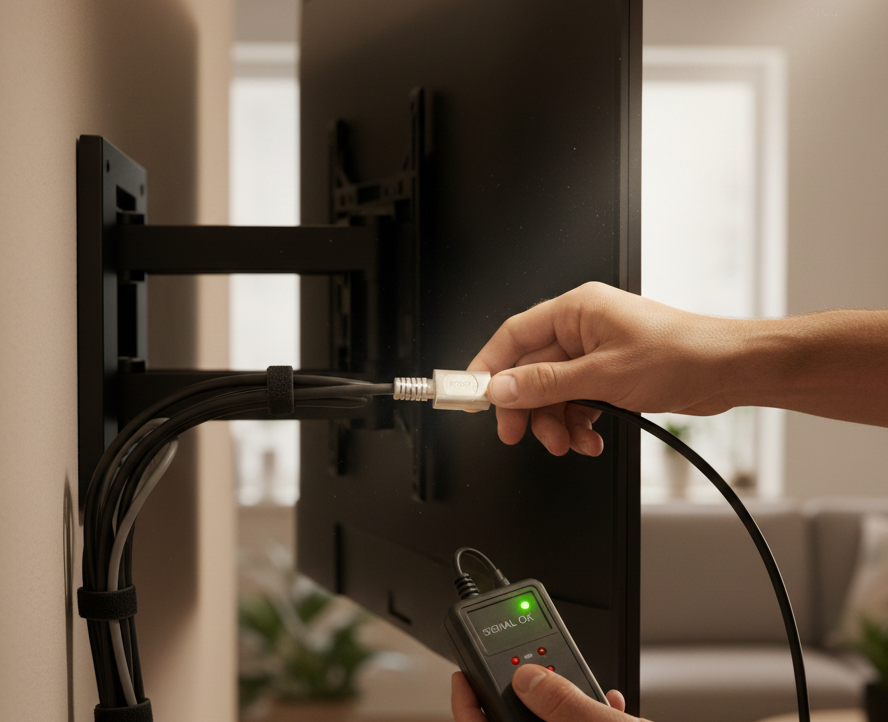
Knowing how to check if TV cables are faulty is crucial for fixing picture issues, sound problems, and signal interruptions at home. Faulty cables are among the most common causes of TV glitches, including pixelation, flickering screens, weak antenna signals, and complete picture loss. This guide explains the signs of damaged TV cables, how to test them safely, and what steps you can take before replacing equipment. Whether you use HDMI, antenna, or power cables, understanding how to diagnose problems helps prevent frustration and keeps your TV functioning properly.
Why TV Cable Problems Are So Common
TV systems rely on multiple cables—HDMI, power cords, antenna leads, and audio cables. Even a single damaged cable can affect your entire viewing experience. Over time, cables can bend, loosen, wear out, or become damaged due to pets, furniture pressure, wall movement, or environmental changes.
Before buying a new TV or replacing expensive devices, checking the cables is an essential first step. Many picture and signal issues are caused by a simple cable fault rather than a device failure.
Types of TV Cables Most Likely to Fail
Different cables carry different types of signals. Each one plays a specific role in how your TV functions. The most common cables that experience faults include:
- HDMI cables – carry video and audio
- Antenna cables (coaxial) – carry digital TV signals
- Power cables – supply electricity
- AV component cables – older TV systems
- Sound cables (optical or RCA) – connect audio gear
Understanding which cables matter helps you diagnose problems faster.
For homes needing better signal clarity and professional installations, particularly in regional areas, you can explore Digital TV Antennas in Shepparton.
Signs Your TV Cables May Be Faulty
Before testing your cables, it’s important to recognise the symptoms of cable failure. Common signs include:
1. Flickering or Freezing Picture
HDMI or antenna cable faults may cause intermittent flickering, especially when signals weaken.
2. Pixelation During Live TV
If your picture breaks into squares or blocks, the antenna cable may be loose or worn.
3. No Signal Message
A damaged or loose antenna cable often triggers a “No Signal” warning on your screen.
4. Dropouts in Sound
HDMI and audio cables can output audio glitches when connections fail.
5. TV Turning Off Randomly
A faulty power cable can cause intermittent shutdowns.
6. Poor Channel Scanning
Weak connections reduce the number of channels your TV can detect.
If your TV is wall-mounted and cables run behind walls, proper installation can also significantly reduce cable strain. More details on secure setups can be found under TV Mounting in Shepparton
How to Test if Your HDMI Cable Is Faulty
HDMI cables transmit both audio and video, making them among the most crucial TV cables.
Step 1: Wiggle-Test the Connection
Gently move the cable at both ends if the signal cuts in and out, the HDMI connector may be damaged.
Step 2: Try a Different HDMI Port
Switch the cable to another HDMI slot. If it works, your TV port—not the cable—may be faulty.
Step 3: Swap with Another HDMI Cable
If another cable works perfectly, your original cable is likely damaged.
Step 4: Check for Physical Damage
Look for:
- Bent connectors
- Frayed outer covering
- Kinks
- Exposed wires
External testing guides, such as HDMI.org cable testing details and Lifewire’s HDMI troubleshooting guide, offer further insights
How to Check if Your Antenna Cable Is Faulty
Antenna cables influence signal strength, reception quality, and channel stability.
Step 1: Inspect for Visible Wear
Look for:
- Loose connectors
- Corrosion
- Crushed or bent sections
- Damaged F-type connectors
Step 2: Firmly Reinsert the Cable
Loose antenna plugs are a frequent cause of signal dropout.
Step 3: Test the Cable on Another TV
If the second TV shows the same issue, the cable is faulty.
Step 4: Check the Wall Plate
Sometimes the wall connection—not the cable—is the real culprit.
Step 5: Try a New Antenna Lead
Replacement leads are inexpensive and can resolve most reception problems.
How to Test if Your Power Cable Is Faulty
A damaged power cable is a safety risk.
Warning:
Never test a power cable with exposed wires. Replace it immediately.
Steps to test safely:
- Try the TV on another power outlet
- Borrow a similar power cable to compare.
- Check for burn marks, melting, or loose pins.
- Listen for buzzing or electrical noise.
If the cable feels warm, it may be near failure.
How to Check AV and Audio Cables
Older TVs and audio systems may still use RCA, optical, or coaxial audio cables.
Check for:
- Loose connections
- Static noise
- One-sided audio dropouts
- Damaged pins
- Dirty optical ports
Optical audio cables are sensitive to light leakage from cracks in the cable body.
Environmental Causes of Cable Failure
Many cables fail due to environmental factors rather than manufacturing defects.
Common causes include:
- Pets chewing wires
- Furniture crushing cables
- Moisture from windows or leaks
- Heat exposure behind the TV
- Dust buildup around ports
- Repeated bending or stretching
Cable management solutions, such as protective cable sleeves, wall channels, or tidy mounting brackets, can reduce long-term damage.
Tech sites such as CNET cable maintenance tips provide additional care recommendations
When to Replace Your TV Cables
You should replace your cables if:
- The picture flickers even after testing
- The connector is bent
- The cable sparks or feels warm
- Channels are missing during TV scans.
- The cable shows visible cuts
- Another cable works perfectly in its place.
Cables are inexpensive compared to repairs, so replacing them is often the fastest solution.
Final Thoughts & Professional Help
Checking whether your TV cables are faulty helps you diagnose common issues before calling a technician. Faulty HDMI cables, damaged antenna leads, loose connections, or worn power cords can all interrupt your viewing experience. Testing and replacing these cables early prevents long-term frustration and keeps your system working efficiently.
If you continue facing picture problems, weak reception, or TV mounting issues, contact Jason’s TV for reliable antenna inspections, mounting solutions, and cable assessments:
You can also explore service options and all support solutions on the homepage of Jason’s TV here
Frequently Asked Questions
1. How do I know if my HDMI cable is faulty?
Look for flickering video, sound dropouts, or a loose connector. Test with another cable to confirm.
2. Why is my TV showing “No Signal”?
A damaged antenna cable or loose wall connection often causes this issue.
3. Can a bad cable damage my TV?
A faulty power cable can be dangerous. HDMI and antenna cables rarely harm the TV but can cause viewing problems.
4. How often should I replace TV cables?
Cables last several years, but you should replace them immediately if they show visible damage.
5. Should I get a technician if my cables seem fine but the problem continues?
Yes. The issue may be in the wall plate, TV tuner, antenna, or mounting setup.