
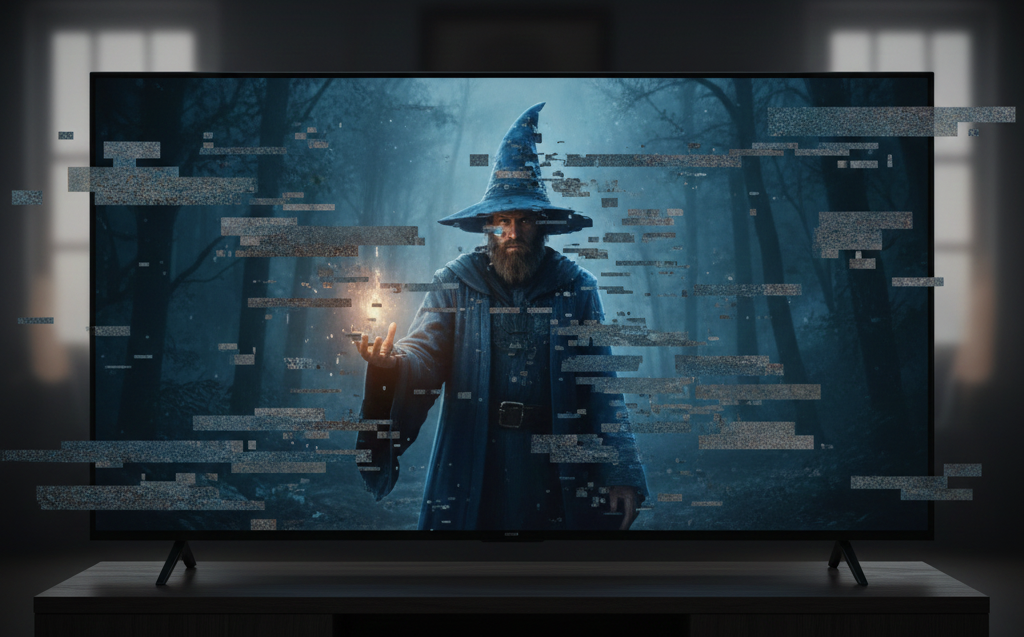
If you’re asking, “Why is my TV picture breaking up or pixelating?”, the issue typically comes from weak signals, poor antenna alignment, damaged cables, interference, or outdated equipment. Pixelation happens when your TV cannot receive a clear digital broadcast signal, causing the picture to freeze, distort, or break into blocks. This guide explains the most common causes of pixelation, how weather and obstacles affect reception, and what steps you can take to improve picture stability at home. Understanding these issues helps you identify the source of the problem before calling a technician.
Understanding Why Pixelation Happens
Pixelation occurs when digital TV signals become too weak or interrupted to display a clean image. Unlike old analogue signals, which produced snowy or fuzzy pictures, digital TV either works clearly or breaks apart into visible blocks.
The most common reasons include:
- Weak or fluctuating reception
- Damaged or loose antenna cables
- Incorrect antenna positioning
- Interference from appliances or weather
- Internal TV tuner issues
Knowing these causes helps narrow down the problem quickly.
1. Weak Signal Strength From Your Antenna
The most common cause of pixelation is poor antenna signal strength. This issue is especially common in regional areas, homes with older antennas, or properties competing with physical obstacles.
Fix:
- Check your antenna cable for damage
- Ensure the antenna is firmly connected
- Raise the antenna height if possible
- Inspect for nearby obstacles
If you want reliable antenna guidance, see Digital TV Antennas in Shepparton for proper installation options.
2. Antenna Misalignment
Even a slight shift in antenna direction can trigger pixelation. Wind, storms, renovations, and old mounts can move antennas out of position.
Fix:
- Realign the antenna
- Tighten brackets
- Remove obstacles blocking the antenna’s direction
External sources like the ACMA broadcasting coverage maps and the Freeview Australia guide give helpful reference points for direction and coverage
3. Damaged or Low-Quality Coaxial Cables
Your antenna cable plays a major role in delivering a strong signal. If it becomes bent, crushed, worn, or water-damaged, pixelation becomes unavoidable.
Signs your cable is the problem:
- Pixelation only in bad weather
- Channels dropping off
- Sudden freezes
- Sound skipping
- Rust on connectors
Fix:
- Replace damaged cables
- Avoid cheap, unshielded coaxial cables
- Keep long cable runs to a minimum
4. Loose Wall Ports or Antenna Connectors
If the wall plate or antenna connector is loose, even a small movement can break your signal.
Fix:
- Check if the connector wiggles
- Inspect for corrosion
- Try another wall port (if available)
- Replace old connectors
Even a partial break in the connector pin can cause instability.
5. Interference From Electrical Appliances
Interference affects digital signals more than people expect. Certain appliances or devices can interrupt your TV reception.
Common sources of interference:
- Microwaves
- LED lights
- Fridge motors
- Solar inverters
- Air conditioners
- WiFi routers
- Cordless phones
Fix:
- Move appliances away from antenna cables
- Use shielded coaxial cables
- Try repositioning the TV or modem
External guides, such as CNET HDMI troubleshooting tips can help identify electronic interference patterns.
6. Weather Impact on Digital Signals
Rain, high winds, heat, and storms can affect how well your antenna receives signals. Pixelation during bad weather usually points to:
- Weak antennas
- Poor alignment
- Low signal margin
- Rusted cable connections
Fix:
- Inspect outdoor cables after heavy weather
- Ensure all connectors are dry and sealed
- Consider upgrading to a better outdoor antenna
7. Outdated or Low-Performance Antenna
Older antennas may not be designed for modern digital signals. Age, corrosion, and outdated design all reduce performance.
Fix:
- Replace old antennas
- Upgrade to a digital-ready model
- Reinstall at a higher position
Technicians can check whether your antenna is suitable for today’s broadcast frequencies.
8. Internal TV Tuner Problems
If the hardware inside your TV is failing, pixelation may appear even when your antenna is in perfect condition.
Signs of tuner failure:
- Random black screens
- Channels showing different levels of distortion
- Frequent loss of signal
- Pixelation on every channel
Test your TV on another antenna point. If the issue remains, the tuner may need servicing.
For proper TV installation and positioning that reduces signal-related issues, you can refer to TV Mounting in Shepparton.
9. Incorrect Channel Tuning or Auto-Scan Issues
Your TV may be tuned to the wrong broadcast tower or require a fresh channel scan.
Fix:
- Perform an auto-scan
- Manually tune if needed
- Remove duplicate channel entries
This often helps when new towers go online or after moving home.
10. Splitters, Amps, or Boosters Causing Problems
Splitters divide the antenna signal between multiple rooms, but cheap or damaged splitters reduce signal quality. Similarly, amplifiers and boosters sometimes overload your signal.
Fix:
- Replace poor-quality splitters
- Avoid unnecessary amps
- Use only high-quality hardware
Correct installation improves signal reliability in multi-TV homes.
11. Physical Obstructions Around the Antenna
Nearby obstacles can block signals completely. These include:
- Trees
- New buildings
- Roof extensions
- Solar panels
- Scaffolding
Removing or repositioning these obstacles may improve stability.
Final Thoughts & Professional Help
Pixelation or picture breakup usually comes from weak signals, damaged cables, antenna misalignment, or environmental interference. While many fixes can be done at home—such as checking cables or rescanning channels—problems involving outdoor antennas, alignment, or internal tuner faults require professional testing. Long-term stability depends on proper installation and high-quality equipment.
If you continue facing pixelation issues, reach out to Jason’s TV for expert antenna testing, cable repairs, and reception improvement services:
You can explore all TV and antenna support options on the homepage of Jason’s TV
Frequently Asked Questions
1. Why is my TV pixelating on only a few channels?
Those channels may have weaker broadcast strength or be affected by antenna alignment.
2. Why does pixelation get worse at night?
Temperature changes and interference can affect signal strength.
3. Can bad cables cause pixelation?
Yes—damaged or low-quality coaxial cables are a major cause of picture breakup.
4. What if pixelation only happens during storms?
This usually indicates weak reception or an outdated antenna system.
5. Should I call a technician for persistent pixelation?
Yes. A professional can test signal strength, alignment, and cable health.