

There’s nothing more frustrating than paying for a decent internet plan and still watching your videos buffer, your video calls freeze, or your smart TV refusing to connect. If you’re in Congupna and dealing with slow, unreliable WiFi, the culprit is often not your internet provider — it’s your router.
The good news? Most WiFi problems are fixable without replacing everything. With the right diagnosis and a bit of expert attention, you can have your home or business network running reliably again. Here’s what you need to know.
Why Is Your WiFi So Slow? (It’s Not Always the NBN)
A lot of Australians assume slow internet means ringing their provider and waiting on hold for an hour. But in many cases, the issue is sitting right there in your hallway, blinking away — your router.
Routers cop a lot of abuse. They run 24/7, collect dust, overheat, and slowly lose their ability to handle the demands of a modern connected household. Rural and regional areas like Congupna can also face extra challenges, including older infrastructure, longer signal distances, and interference from farming equipment or thick-walled properties.
Common WiFi problems that point to a router issue include: The

- The Internet drops in and out throughout the day
- Certain rooms or areas of the property have no signal at all
- Speeds that are dramatically slower than what your plan provides
- Devices are struggling to connect or are constantly asking for the password
- Buffering on streaming platforms even at off-peak hours
- Lag during online gaming makes it practically unplayable
If any of these sound familiar, your router likely needs professional attention — not just a restart.
What Does Professional WiFi Router Repair Actually Involve?
There’s a big difference between what you can do at home (restart, reset, maybe move the router to a different spot) and what a trained technician can do. Professional WiFi router repair in Congupna goes much deeper than basic troubleshooting.
Proper Diagnosis First
Before anything is touched, a technician will run a proper assessment — testing signal strength at various points in the property, checking for interference, reviewing your current hardware, and identifying exactly where the breakdown is occurring. No guesswork.
Firmware and Configuration Updates
Many router problems come down to outdated firmware or misconfigured settings that are throttling your speeds. These are things most people don’t even know exist, let alone how to fix. A quick firmware update and a proper configuration review can make a noticeable difference almost immediately.
Optimising Router Placement and Coverage
Where your router lives in the house matters enormously. Sitting behind a TV cabinet in the corner of your lounge room is probably the worst place for it. A technician will assess the layout of your property and advise on the ideal placement — or recommend a mesh WiFi system if the property is large enough to need one.
Hardware Repairs and Replacements
If the router itself has a hardware fault — damaged antenna, failing internal components — a professional can identify whether repair or replacement is the better call. Sometimes a $50 fix saves you from buying a new $300 router unnecessarily.
Should You Repair or Replace Your Router?
This is one of the most common questions Jason’s TV hears, and the honest answer is: it depends.
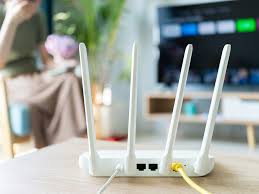
If your router is less than 5 years old and the issue is firmware, placement, or configuration, repair and optimisation almost always makes more sense. If your router is older than 5–6 years, doesn’t support modern WiFi standards (look for WiFi 5 or WiFi 6 on the box), or struggles to handle more than a handful of devices at once, replacement is likely the smarter long-term move.
According to Wikipedia’s overview of wireless networking standards, the jump from older WiFi 4 (802.11n) to WiFi 5 or WiFi 6 can deliver dramatically faster speeds and better performance across multiple connected devices, which matters a lot in households where everyone’s streaming, gaming, or working from home simultaneously.
A good technician won’t push you toward unnecessary hardware. They’ll give you an honest recommendation based on your actual situation.
WiFi Issues Across the Greater Shepparton Region
Jason’s TV is locally based in Congupna and services the entire Greater Shepparton region — including Shepparton, Mooroopna, Numurkah, Benalla, Wangaratta, and surrounds. That local knowledge makes a genuine difference. The team understands the infrastructure in the area, the types of properties common to the region, and the specific challenges that come with rural connectivity.
Beyond WiFi, Jason’s TV also handles TV antenna installation and repairs and professional TV mounting — so if you’re setting up a new lounge room or upgrading your home entertainment setup, everything can be sorted in one visit.
For further guidance on Australian home networking standards and what to expect from your NBN connection, the Australian Communications and Media Authority (ACMA) is a useful reference point for consumer rights and performance benchmarks.
Head back to the Jason’s TV homepage to see the full range of services available across the region.
Don’t Just Live With Bad WiFi
Bad internet in 2026 isn’t just annoying — it genuinely affects your work, your downtime, and increasingly, your home’s smart devices. If you’ve been putting up with lag and dropouts in Congupna, it’s worth getting it properly sorted rather than continually rebooting your router and hoping for the best.
Call Jason’s TV on 0403 688 666 or get in touch online to book a WiFi assessment. Most issues can be diagnosed and resolved in a single visit.
Q1: How do I know if my router needs repair or just a restart?
A. If restarting your router temporarily fixes the problem, but the same issues keep coming back within hours or days, that’s a strong sign that something deeper is going on. Persistent dropouts, weak signal zones, and speeds well below your plan speed all point to a repair or configuration issue rather than a temporary glitch.
Q2: Can a router repair actually improve my internet speed?
A. Yes — in many cases, significantly. If your router is misconfigured, running outdated firmware, or positioned poorly, fixing those issues alone can bring your speeds much closer to what your NBN plan promises. You’re often paying for speed you’re not getting.
Q3: How long does a professional WiFi router repair take?
A. Most residential jobs in Congupna and surrounding areas can be completed in a single visit of 1–2 hours. More complex setups — larger properties, mesh systems, business networks — may take longer.
Q4: Is it worth upgrading to a mesh WiFi system?
A. If you’re in a larger home, a property with thick walls, or a rural property with outbuildings you want connected, a mesh WiFi system can be a genuine game-changer. A technician can advise whether your situation would benefit from one.
Q5: Do you service areas outside Congupna?
A. Yes — Jason’s TV services the entire Greater Shepparton region, including Shepparton, Mooroopna, Numurkah, Benalla, Wangaratta, Nagambie, and many more surrounding towns.
Q6: What if my internet is slow because of the NBN connection itself?
A. A good technician can help you determine whether the issue is your router/home network or the connection coming into the house. If it’s the latter, they’ll advise you on what to take back to your provider, which is genuinely useful when you’re trying to get traction on a complaint.